
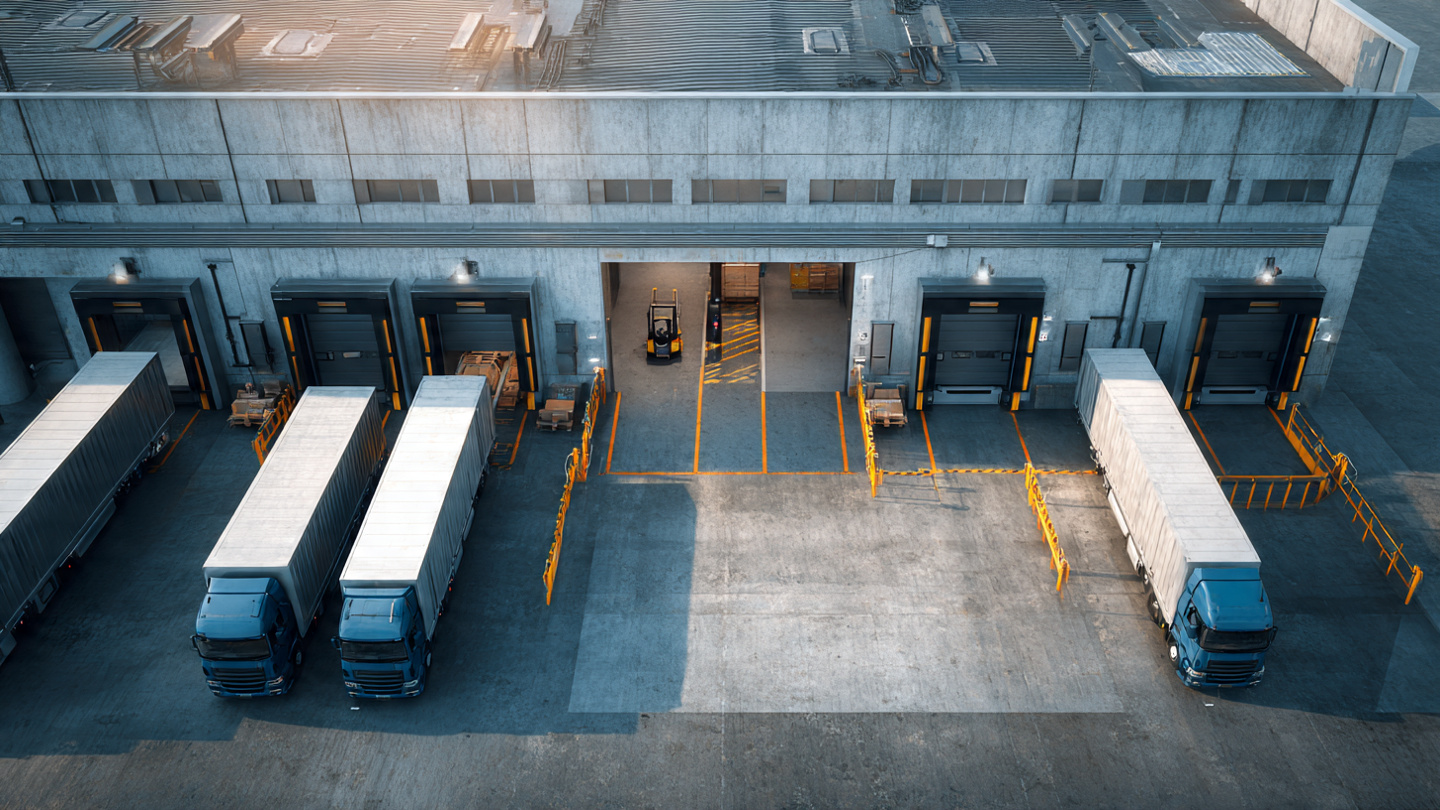
Your yard coordinator looks at the board and sees every dock occupied. The shift looks productive. But if you time each bay individually, the picture changes: one has had a truck parked for 40 minutes after finishing its unload. Another has a unit waiting for instructions because receiving did not know it had arrived. A third one cleared 20 minutes ago, but the next truck is still in line because nobody updated the status.
Every dock full. Actual output: half.
That gap between occupancy and productivity is the number most distribution centers never track. And that is where the capacity you think you lack is hiding.
According to the Warehousing Education and Research Council (WERC), facilities that move from manual processes to dedicated scheduling systems report a 40% or greater reduction in dock delays (WERC, 2023). Not because they add infrastructure. Because they stop wasting what they already have.
This is the conceptual error that sustains the problem: confusing an occupied bay with a productive one.
A productive bay has a truck undergoing active loading or unloading, with the receiving or shipping team working the freight. The operation is moving.
An occupied but unproductive bay can look the same from a distance, but nothing useful is happening inside:
In both cases, the bay shows as "in use." On the shift report, utilization looks high. But throughput tells a different story.
The MHI Annual Industry Report 2025 found that 55% of supply chain leaders are increasing technology investment to gain operational transparency (MHI, 2025). Knowing what is actually happening at each point in the operation is no longer optional. Without that data, you are managing on assumptions.
The formula is straightforward:
Per-bay productivity = Active operation hours ÷ Total occupied hours × 100
A dock occupied for 10 hours during the shift but only active for 6 has a productivity of 60%. The other 4 hours were dead time: gaps between turns, trucks parked with no activity, assignment delays, or late release.
To calculate it, you need three data points per bay:
The difference between (3) and the sum of (1)+(2) across all trucks in the shift is your accumulated dead time.
In manual operations, those three data points do not exist. What you have is a logbook where the guard writes "Carrier X truck entered at 8:15 AM" and "departed at 9:40 AM." The actual start and end of unloading are not recorded. You only have entry and exit.
With that, you can calculate dwell time, but not productivity. You cannot tell how much of that time was operation and how much was waiting. And without that data, you cannot distinguish a productive bay from one that was simply occupied.
For the full picture of how dwell time and productivity diverge, see the breakdown of the hidden cost of blocked docks at your distribution center, where we detail the five cost layers that every lost dock-hour generates.
When you measure bay by bay, dead time clusters into four patterns that repeat every day.
Truck A finishes. Truck B is already in the yard. But between someone confirming the bay is free, the coordinator assigning the next one, the guard giving instructions, and Truck B positioning — 25 to 35 minutes pass.
For a bay processing 5 trucks per shift, that is 100 to 140 minutes lost in transitions alone. Nearly 2.5 hours per bay, per shift. In a 6-bay operation, that is 10 to 14 dock-hours lost daily from this single gap.
The truck positions at the bay, but the receiving team was not ready. They did not know which unit was coming, what type of freight it carried, or what priority it had. They start 15 or 20 minutes later. The bay was occupied from minute one. Productive from minute twenty.
In operations without pre-scheduling, the coordinator assigns bays on the fly. The truck arrives, the coordinator checks availability, makes one or two calls, decides. That process takes 5 to 15 minutes per truck. In a 45-truck-per-day operation, it can add up to more than 4 hours of cumulative waiting just from the process of deciding where each truck goes.
That pattern is what separates a first-come-first-served operation from one with appointment scheduling. Reactive assignment works fine at low volume. But when traffic outpaces it — and that happens sooner than most operators think — every truck waits a little longer, and the queue feeds itself.
This is the most common and least measured. The truck finished loading. The driver signed the paperwork. But the bay still shows as occupied because nobody updated the status. The next truck could enter, but it does not know. The coordinator does not know either. The guard even less.
In operations running on paper logbooks or whiteboards, this gap can last 15 to 45 minutes per cycle. Not because people are slow. Because information travels through slow channels: radio, phone call, message, memory.
Let us put numbers on this using the base model from this series: 6 bays, 45 trucks per day, 12-hour shift.
Theoretical capacity per bay: 12 hours × 6 bays = 72 dock-hours available per day.
Now subtract the gaps:
| Gap | Dead time per bay/day | Total (6 bays) |
|---|---|---|
| Transition between trucks | ~2.5 hrs | 15 hrs |
| Receiving not ready | ~0.75 hrs | 4.5 hrs |
| Reactive assignment | ~0.5 hrs | 3 hrs |
| Invisible release | ~0.75 hrs | 4.5 hrs |
| Total dead time | ~4.5 hrs | ~27 hrs |
Out of 72 available dock-hours, you lose 27. Your real productive utilization is 62.5%. You have 6 bays, but they operate as if you had 3.75.
That means the remaining 45 productive hours are what actually process trucks. If each truck needs an average of 1 hour of active operation, your theoretical capacity is 72 trucks per day, but your actual capacity is 45. You are using 62% of your installed infrastructure.
And the first reaction from most managers when the shift runs short is not "let us measure per-bay productivity." It is "we need more bays." An expansion that can cost millions when the real problem costs a fraction of that.
A consumer goods operator in Querétaro, Mexico, with 8 bays and 50 to 55 trucks per day, submitted the same request to corporate for two consecutive quarters: expand to 10 bays. The argument looked solid on the surface. Every shift ran late. The gate queue was constant. The team felt pressure from 7 AM on.
Before approving the expansion, the operations manager asked to measure actual time per bay over two weeks. What they found was different from what they expected.
With that data, the expansion was put on hold. Instead of building two more bays, they implemented three changes: appointment scheduling to distribute the load, QR check-in to eliminate radio-based validation, and real-time visible status for every bay so the team knew instantly which one was free.
Six weeks later, productivity rose to 79%. The 8 bays were performing like 6.3 — more than the proposed expansion would have achieved with 10 bays at the previous rate. The shift stopped running late. The expansion request was never submitted again.
If you check per-bay dock productivity once a quarter, you will see the problem weeks after it settles in. Measure it weekly instead. Five minimum indicators:
These five indicators connect directly to the key yard management KPIs we covered in detail in a separate article. If you already track dwell time but not per-bay productivity, you are seeing how long each truck stays, but not how much of that time was useful.
The four gaps close with what Docklyx already includes in the daily workflow.
The carrier books within the facility's real availability windows. That prevents the arrival spikes that saturate bays first thing in the morning and leave them empty after noon. The distribution is not perfect, but it is structurally better than improvisation. For the full implementation flow, see the step-by-step dock appointment scheduling guide.
The guard scans the carrier's code and the system confirms identity, active appointment, and assigned bay in a single step. No call to the coordinator. No waiting for confirmation. The transition from "arrived" to "at the bay" drops from 25 minutes to under 5.
The team sees which bay has active operation, which one finished, and which one is waiting. When a truck completes its unload, the bay changes status and the next truck can enter without depending on a call, a radio, or someone's memory.
That closes the invisible release gap. The bay does not stay occupied because nobody notified. It is released when it is released, and everyone sees it.
Receiving knows which truck is coming, when it arrives, and what freight type it carries before the unit positions. The 15-to-20-minute late start goes away. When the truck enters the bay, the team is already ready.
If your shift is not enough and the first idea is to expand infrastructure, stop. Before approving construction that can take months and cost millions, measure the real productivity of the bays you already have.
You may not need more bays. You may need the ones you have to stop losing 35-40% of their capacity to dead time that nobody records.
Run your data through the Docklyx ROI calculator and compare the cost of that lost capacity against the cost of the software. Most operations find the return pays for itself with the dock-hours recovered in the first weeks.
Or start directly with a free 21-day trial. No credit card, no hardware, no consultants. Configure your bays, activate appointments, and measure the difference with your own data. Because the question is not whether your docks are full. The question is how much of that time they are actually producing.
Docklyx digitizes the entire yard: appointments, check-in, docks, and real-time traceability.
Request free demo →One email per week. No spam.
Your coordinator spends 3 hours a day on the phone with carriers. Here's how to eliminate those 50 daily calls without replacing a single carrier.

If your trucks are arriving at 5 AM to secure a spot, your system is training them to do it. Here's how to break the FCFS cycle at your DC.
Every blocked dock can cost your warehouse $48,000 to $62,000 MXN per month in labor, delays, and lost capacity. Calculate your real loss.