Technology
·12 min read
Docklyx Autopilot Is Live: How the Engine Actually Works
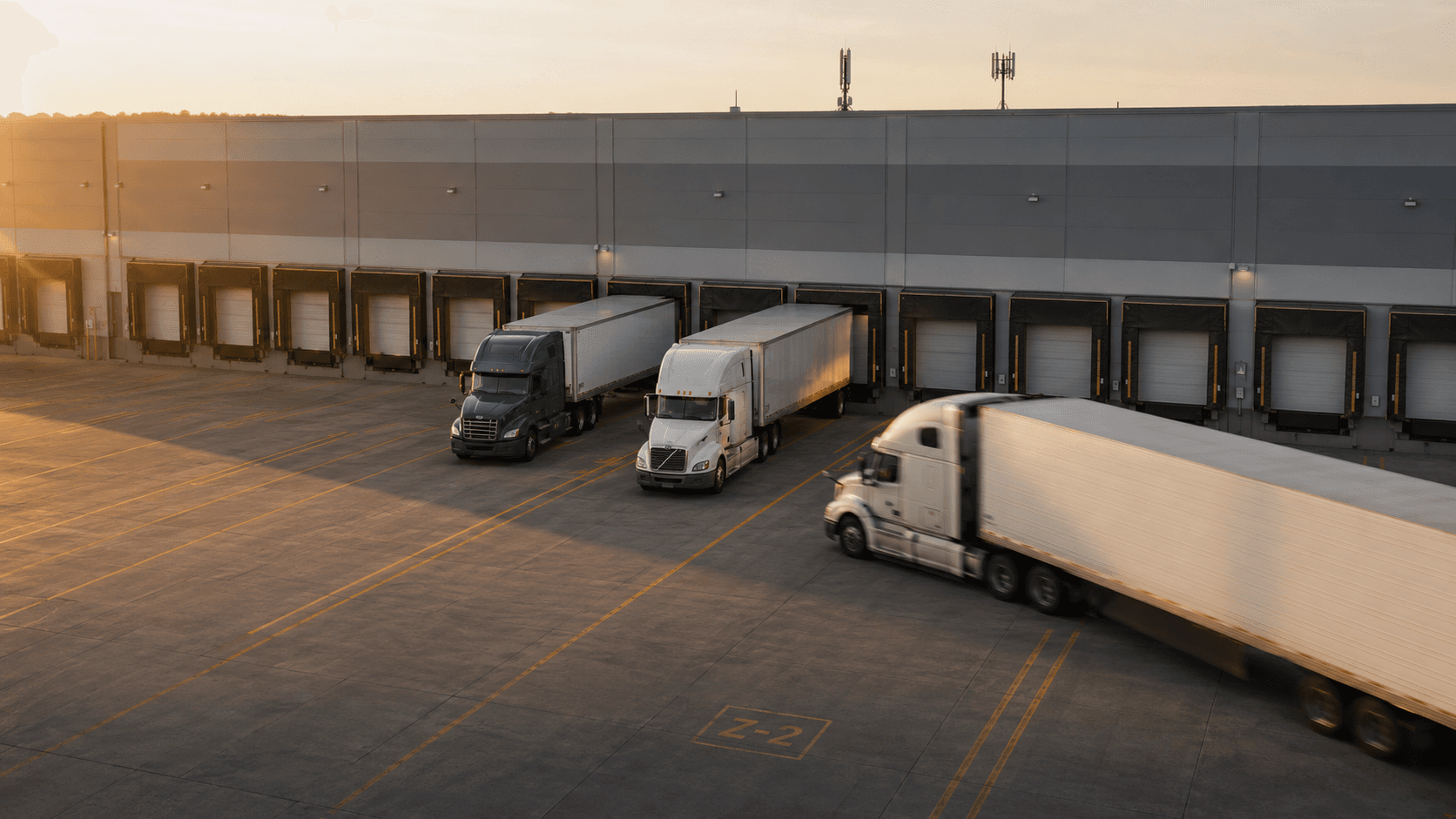
Docklyx Autopilot is live on every Pro plan as of this week.
It's an engine that takes five operational decisions your team was already taking by hand: ranking the best slot for the carrier in real time inside the booking portal, optimizing dock assignment for the next 48 hours, auto-scheduling over WhatsApp when the carrier sends free-text intent, moving appointments on no-show or late arrival, and contacting the carrier when a truck breaches your dwell threshold. Each one runs through simulation first, executes only on human approval (or under a per-CEDIS Auto policy you control), and rolls back in one click.
If you operate a distribution center, the questions that matter when you hear "agentic AI" aren't the ones a vendor wants to answer. They're the boring ones: How does it actually decide? What stops it from deciding wrong? What happens the first time it does decide wrong?
This article answers those, end to end. The four gates every action passes through. The five decisions live today. The anonymized 14-dock CEDIS that ran 3,142 automatic actions last quarter with 41 rollbacks and zero un-reversible mistakes. And the three things we deliberately do not let the engine touch on its own.
If you want the broader case for why agentic AI matters in a yard, we wrote that piece separately. This one is the how.
The autopilot loop, in plain terms
Every automatic action our engine takes passes through four gates, in order: suggest, simulate, execute, roll back. Each gate exists because we got burned by skipping it on a prototype.
Suggest is the entry point. The system observes a real signal: a dock just freed up at 09:14, a carrier sent a free-text WhatsApp asking for "any slot this week", a truck has been at dock 4 for 38 minutes longer than its expected dwell. It then proposes a single concrete action with the evidence that triggered it.
Simulate is the rehearsal. Before anything touches production, the system computes the counterfactual: "this would move 3 bookings, free up dock 2 between 14:00 and 15:30, and notify two carriers." The dry-run output is what an operator reads, not the raw insight. It's the difference between "the AI thinks something" and "if you click yes, here is exactly what changes."
Execute applies the change. State machines flip, notifications go out, an audit row gets written with who, what, when, why — including the policy mode under which the action ran (manual or auto).
Roll back is the unwinder. Every reversible action carries a one-click undo, protected against double-rollback so a manager can't accidentally re-revert a revert. The audit row records the rollback as its own event with reference to the original action.
The loop matters more than any single capability. A system without simulation can be impressive in a demo and dangerous in production; the cost of acting before simulating, in a yard, gets paid in dock dwell time you can never reclaim.
The five decisions our autopilot takes today
Each of these capabilities is shipped, in production, and gated by a per-action, per-distribution-center policy.
1. Slot suggestions inside the carrier portal
When a carrier opens the booking wizard to pick a date and time, our slot suggestion engine ranks the available windows in real time and labels the best one with a "Recommended" badge. Three signals feed the ranking:
- Available capacity — the dock and warehouse zone configuration for that window.
- Predicted congestion — a model trained on the distribution center's own peak-hour patterns. Yards aren't symmetric; Tuesday at 11:00 isn't Friday at 11:00.
- Carrier-specific punctuality — the booking carrier's own on-time history over the last 90 days. A carrier who tends to arrive 25 minutes late gets ranked toward windows that absorb that drift without cascading.
The output is post-processed by a hallucination guard. Any slot the model invented — anything outside the verified availability set — gets pruned before the carrier sees it. The ranking is rate-limited per organization and gated to the Pro plan.
This is the only autopilot capability that affects the carrier-facing surface. Every other decision happens inside the operator's view of the world.
2. The slot optimizer with simulation mode
A nightly cron evaluates the next 48 hours of bookings against capacity and drafts proposals: move this booking to the next free dock, offer empty slots to the A-graded carrier sitting on the waitlist, consolidate a fragmented afternoon. Each proposal lands in the manager's view with a simulation summary attached.
Two managers can run the exact same proposal in simulation and see the exact same projected delta — same bookings affected, same notifications drafted, same dock-utilization impact — without either of them touching production. This is the gate that lets you trust an automatic action without ever having executed it before.
3. WhatsApp auto-schedule
Most carrier WhatsApp interactions are unambiguous: "move my Friday slot to 3pm" parses cleanly and the bot resolves it. The interesting case is the ambiguous one. With auto-schedule on, the bot accepts free-text intent like "anything you've got this week" or "lo que tengas" and auto-assigns the best slot from the next 7 days using the same suggestion engine the portal uses. The transporter confirms the proposed slot before it's created.
If the bot can't safely resolve the intent — out-of-window request, ambiguous date, an account it can't verify — it doesn't guess. The conversation gets escalated to a human and lands in the decision queue.
4. Adjust schedule (move an appointment)
When the engine detects a high-confidence reason to move a booking — a no-show window expired, a late arrival that can be re-routed to an empty downstream slot, a carrier scoring trigger — the adjust_schedule action moves the appointment to a new time. Because moves are reversible, rollback restores the original time exactly, including any side-effects on dock allocation.
This is the most common automatic action in a busy yard.
5. Contact carrier on dwell breach
When a truck has been parked in a dwell-cost-relevant state for longer than the per-distribution-center threshold, the engine can send a WhatsApp to the carrier contact asking them to dispatch the driver back to the truck. This action has a deliberate exception we will return to below: it is never executed on an automatic trigger, only on a human-initiated trigger with policy set to auto.
Three modes per action, per distribution center
The unit of policy is not "Cerebro AI is on" or "the bot is autonomous." It's much narrower than that, and the narrowness is the point.
For every action type, every distribution center has its own setting: Manual, Auto, or Off. A retail CEDIS in the Bajío might run slot-suggestions on Auto and adjust-schedule on Manual; a sister CEDIS in Monterrey, with a less mature operations team, might keep both on Manual for the first quarter. The distribution centers don't have to agree, and they shouldn't be forced to.
Most teams move through the same progression:
- Everything starts on Manual. The team sees the suggestions, reads the simulations, and makes the calls themselves.
- After a week or two, the lowest-risk action — usually portal slot suggestions, because they only affect what the carrier sees — gets promoted to Auto.
- Slot optimizer proposals come next. Each one was reviewed in simulation; the team has a feel for the proposal quality and the rollback rate.
- Adjust-schedule comes last, after weeks of supervised execution. This is the action with the highest blast radius.
Nothing in the system pressures a team to escalate faster. The audit log surfaces what ran on Auto, what got rolled back, and the rollback rate per action. That's the data that drives the conversation, not a marketing chart.
If you'd like to see this running on your data, we set up a sandbox with real bookings during the trial. Everything starts on Manual.
Simulation mode: practice without consequence
Simulation is the gate that distinguishes a serious agentic system from a demo. Before any action runs, the engine computes its full counterfactual against a snapshot of production state and surfaces the result as a structured payload the operator can read.
A real example from a recent slot-optimizer proposal:
"Moving booking #4821 (Norte Rápido) from D-04 14:00 to D-07 14:30 would free a 90-minute window on D-04 between 13:30 and 15:00. Two carriers on the waitlist (A-grade) match the freed window. Two outbound notifications would be sent. No carrier currently in-yard would be affected."
That paragraph is what the manager reads before the proposal is accepted or dismissed. The same paragraph, archived, becomes the audit trail when the action runs. The team isn't trusting a black box — they're trusting a specific, inspectable preview of a specific change.
This is also how rules get promoted from Manual to Auto. After a week of running an action's simulation through the manual approval flow, the team has a body of evidence — every dry-run, every accepted execution, every rolled-back exception — that says whether the engine's judgment is reliable enough to remove the human gate.
The decision queue: where exceptions go
Not every signal can be safely resolved by the engine. The interesting question is what happens to the ones that can't.
In Docklyx Autopilot, anything outside policy lands in the decision queue at /cedis/{slug}/automation. This is not a generic alert inbox; it is the structured surface where exceptions wait for human review with full context attached.
Examples of what lands here:
- A WhatsApp message from a carrier whose number isn't verified for the org.
- A slot request that falls outside the distribution center's published windows.
- An adjust-schedule trigger where the engine is uncertain about the reason (the dwell breach is borderline, or the carrier scoring data is too thin).
- An auto-execution attempt that hit a transient database conflict and was deferred for human review.
Each queued exception carries the trigger, the proposed action, the simulation output the engine would have run, and the reason it stopped. The manager either approves (the action executes with the proposed parameters) or rejects (the queue entry closes with a recorded reason). No exception is lost; nothing escalates by getting forwarded to a coordinator who is on lunch.
This is the part that separates teams who trust the autopilot from teams who don't. The engine isn't being asked to be perfect. It's being asked to know when to stop.
Rollback: every action has an undo
Every reversible automatic action — adjust-schedule, slot-optimizer moves, waitlist offers — carries a one-click rollback that restores the prior state exactly. Rollbacks are themselves audited as their own events, with a reference to the original action and the user who initiated the reversal.
The protection that matters in practice is double-rollback. A rolled-back action is marked closed; it cannot be reverted again. The constraint exists because in early production we saw a manager click rollback twice in quick succession on a flaky network, and the system at that moment cheerfully tried to "rollback the rollback," landing in a state nobody wanted. The fix was a single column on insight_actions — execution_result.rolledBackAt — and a check before any rollback handler runs.
Some actions are deliberately not rollbackable. Contact carrier is the clearest example: a WhatsApp message that's been delivered cannot be unsent, so we never expose a rollback button for that action, and we never let it run on an automatic trigger. The system simply skips it on triggerSource=auto and waits for a human to initiate. That's a constraint we'd rather live with than an audit message we'd rather not write.
What a 14-dock CEDIS looks like after a quarter on autopilot
Here's a real timeline from a national retail distribution center in the Bajío region, anonymized. Fourteen docks, 80 to 110 daily appointments, three operations coordinators, Pro plan.
Day 0. Onboarding. Every action starts on Manual. The team spent the first week watching suggestions land in the dashboard and accepting or dismissing them by hand. The simulation summaries got read more than expected; managers said it was the first time they had a written record of "what would have happened."
Day 7. Portal slot suggestions promoted to Auto. This was the lowest-risk move because the action only affects what the carrier sees in the booking wizard. Acceptance rate of the recommended slot jumped from 48% (when the badge was off) to 71% (when the badge was on). The carriers were already picking better slots; the engine just made the better one easier to find.
Day 30. Slot-optimizer proposals promoted to Auto for the overnight window only. Daytime stays on Manual. The split lets the team review heavier daytime moves while the lower-stakes overnight rebalancing runs without intervention.
Day 90. Unused dock gaps down 22% versus the pre-Docklyx baseline. Number of automatic actions executed: 3,142. Number of rollbacks: 41. Of those 41 rollbacks, 11 led to a tightening of the corresponding policy threshold. The audit log is what drove the change, not a hunch.
The number nobody asked for, but that the operations director kept bringing up: zero un-reversible actions in the quarter. Every executed automatic action could have been undone, and the team knew it.
What we deliberately did not automate
Operating discipline is as much about what you refuse to do as what you do. Three things we have explicitly kept out of the automatic path:
Incident classification severity. When a guard reports an aggressive driver, missing PPE, or a documents discrepancy, the AI suggests a type and severity, but the manager must confirm before the incident is recorded. Severity drives carrier scoring, and a misclassified incident has compounding downstream effects on dock assignment priority. We've decided that's a human decision.
Contact-carrier on auto trigger. Already covered. Messages don't have a delete button.
Anything that affects billing or contractual terms. The autopilot does not touch carrier rates, detention windows, or any field that ends up on a financial reconciliation. Those are policy decisions that humans negotiate; the engine surfaces the data, but does not write the row.
The pattern across all three: the cost of being wrong is asymmetric. A wrong dock reassignment costs a few minutes of operational friction and a rollback. A wrong incident severity follows a carrier for months. We made the cost of stopping at "Manual" lower than the cost of getting the wrong call.
Where to start if you're evaluating this
If you're running a distribution center in Mexico and this sounds adjacent to where your operation needs to go, the practical path looks like this:
- Map the decisions you already make on autopilot today. Meaning: the calls your coordinators make so often that they could write down the rule on a sticky note. Those are the actions that benefit most from the engine, because the human time spent on them is pure overhead.
- Decide which ones you'd be comfortable seeing run in simulation for two weeks, then in Auto. The list is usually shorter than people expect.
- Hold the rest in Manual indefinitely. There's no scoreboard for how many actions you have on Auto. The scoreboard is whether the audit log is clean.
We can stand up a sandbox environment connected to your real bookings during a free trial. Every action starts on Manual; you promote what you trust, when you trust it. That's where to start.
The alternative — trying to evaluate an agentic system from a demo deck or a generic case study — is the worst of both worlds. The whole point of the loop we just walked through is that you don't have to take anyone's word for it. The simulation runs on your data. The audit log records every decision. You read what happened.
That's the autopilot, end to end. The rest is implementation detail.
Ready to eliminate queues in your operation?
Docklyx digitizes the entire yard: appointments, check-in, docks, and real-time traceability.
Request free demo →Get logistics insights
One email per week. No spam.
Related articles

Technology
Agentic AI in Logistics: What Changes at Your DC
What is agentic AI, how does it act without human intervention, and what results does it drive in dock and yard management? 2026 practical guide.
11 min

Technology
How to Choose a Yard Management System (YMS)
Buyer's guide for choosing a yard management system. 10-criteria checklist to evaluate vendors, avoid costly mistakes, and modernize your yard.
12 min
Technology
WhatsApp Business for Logistics: Automate Dock Appointments
Automate dock appointments and check-in with WhatsApp Business API. Learn how to save 10+ hours weekly and eliminate yard congestion with Docklyx.
20 min